
Pictorium Photoshop Monkstown Dublin Professional Photo and Image Scanning Service. Digitise your Slides, Glass Slides, Negatives, Hard Copy, Photo Albums. Print Canvas, Framed. No limit

Had a few thousand scans done by Sharon. Seamless process from beginning to end. Highly recommend. Well priced. Superb quality. 5* Kay Dee


Scan / Digitise your Photos and Protect Them For Life

Pictorium is one of Ireland’s leading Photo Restoration and Digital Imaging Experts, specialising in scanning, restoring, retouching and editing photographs & images.

We offer a full Professional Photo Scanning Service to archival quality. 

Your photos are precious memories, unfortunately they will discolour and fade over time so we would recommend digitising your photos to keep them safe for you and future generations to enjoy.

We digitise/scan in your hardcopy photographs, newspaper, slides, film negatives, positives, glass slides, lithographs, canvas, artwork etc. For a full list see below.

Photo Albums are a speciality as we are happy to scan directly from the Album or to remove them from (and put them back if requested) the album for you.

Why use Pictorium to scan your photos…?

We scan and digitise your photos professionally to the highest resolution (detail) so the quality is second to none giving you archival quality scans. This means you can enlarge your photos without loosing any detail (i.e. not becoming blurred).

Rest assured that we treat your photos, slides artwork etc. with the utmost care. They are not affected by the scanning process and will be given back to you after scanning is completed.

When TV and Radio want Expert Advice they call Pictorium.

Want to find out more…
Click “READ MORE” under each of the headings to find out more detailed information.

How to get your Photos to us

Visit our Shop • Email • Post

READ MORE
We work with customers nationwide on a daily basis via:

  • Appointments in our Shop (01) 284 6106
  • Drop & Go in our Shop
  • Phone & Email
  • Post

APPOINTMENTS Shop number is (01) 284 6106. We can scan and size the photo whilst you are in the shop. We do spend time with our customers and do not want to have you waiting (you are also very welcome to wait or Drop and Go).

EMAIL if in digital format please email.

DROP & GO Put your photo into an envelope along with your name and tel no and we will call you when we have your photo scanned in.

POSTAL ADDRESS If you post it to us, we will call you as soon as it arrives. We will then scan your photo and call you to discuss size etc.

Pictorium Photoshop
No 3 Monkstown Court
Monkstown Farm
Glenageary, Co. Dublin
A96 HK30

Tel +353 1 284 6106
Email: info@pictorium.ie

What do we Scan?

From Photos, Slides & Negs through to Artwork & Record Albums

READ MORE

We have been working with Customers nationally and internationally as well Artists, Painters, Photographers, Museums, Historians, Genealogists, Organisations, Sports & Social Clubs, Schools… for decades so you can imagine we have see it all.

We offer a professional scanning / digitising service for:

Photos Hard Copies, Loose and in Photo Albums from Passport size up to large format. Passport Photos and Photo Booth Photos.

Albums We can take the photos out of the album and put them back (upon request). In some Wedding Albums and older Albums the photos are stuck in the Album. We will scan them in directly from the Album.

Newspaper, Documents & Letters Newspaper Photos & Artifices, War Memorabilia, Historical and Personal.

Artwork Original artwork including Paper, Watercolour and Canvas.

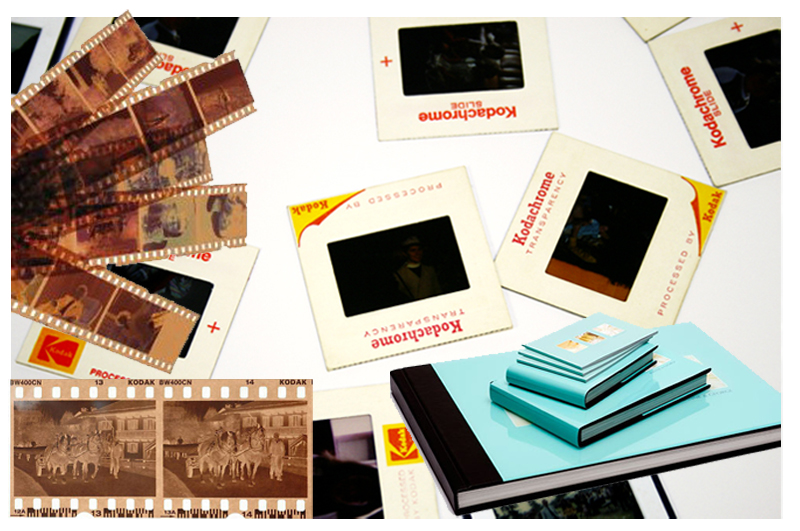
Film 35mm Slides/Transparencies (110, 126, 135 35mm), Film Negs etc in all sizes.

Glass Slides Photographic Glass Slides, Painted Glass Slides (Magic Lantern Slides).

Old Style Lithographs, Daguerrreotypes, Ambrotypes & Tintypes.

Quality of Service

Your photos are precious and need to be treated with the utmost care.

READ MORE

At Pictorium we pride ourself in our Quality of Service.

Your photos, slides etc and can be easily marked by damaging oils on our fingers.

So to keep your photos safe we always wear our lint-free gloves when handling your precious pictures.

We then use compressed air to remove dust and alway clean our Scanners with a microfibre cloth (the fibres in the cloth traps the dirt, dust etc instead of moving the dust etc around your photo, slides etc, resulting in a streak-free, scratch-free finish).

All work is done in-house and each and every photograph is treated with the utmost care.

We crop your photos for you. We ensure the correct rotation during the scanning process.

When your photographs are scanned they are then quality checked by us before you receive them.

Your photos, slides etc are not affected by the scanning process and will be given back to you after scanning is completed.

Storing / Receiving your Photos

From USB Stick through to wetransfer and Drop Box..

READ MORE

USB Stick • Eternal Hard Drive • Wetransfer • Dropbox

We regularly zip and dropbox/wetransfer photos to customers.

We also email photos via wetransfer.com on behalf of our customers (no charge) – very popular when your family or friends live overseas.

Giving you that extra security… We will also, with your permission and at no extra cost, securely store a copy of your images on our own server. They would never be accessed unless requested by you.

Resolution (Detail)

Scanning in photos professionally is all about capturing every detail from your image.

READ MORE

As a photo restoration specialist part and parcel of what we do is scanning photos, slides, artwork etc to the highest resolution giving you archival quality images.

Scanning at a very high resolution (archival quality) will give you a more detailed  sharper image.

This has a twofold advantage:

Enlarging You can, for example, enlarge a 6”x4” photo to a 16”x12” photo without loosing any detail. We regularly enlarge Passport size photos and Photo Booth photos.

Low resolution photos when enlarged will be of a lower quality resulting in loosing their clarity becoming blurry.

Restoring We capture every detail in a photo, even details that are so small that we cannot see them.

This means if you ever want to colour correct and/or restore the photo, the quality of this scan will aid in giving you the best results.

Where you have a faded photo, you will now see all those important details in their faces: like their eyes, mouth even the shading in their face. The detail of her wedding veil and dress…

This means that you can enlarge & print your photos without loosing quality. Whereas lower resolution (detail) ends with photos that are blurry/grainy.

For the techies!
PPI (pixels per Inch) refers to screen and monitors and how the image is displayed.
DPI (dots per inch) refers to the print quality.
The higher the PPI & DPI the more detailed the images are.

Resolution for Types of Scans

Its all in the detail: Passport photos @ 1,200 dpi to Slides @ 3,200dpi.

READ MORE

Hard Copies, Slides, Negatives & Film

PHOTOS Resolution: Up to 1,200dpi, depending on the size of your photo
Slides, Negs and Film Resolution: Naturally 3,200dpi. Up to 6,400dpi

We work with Hard Copies, Slides (+ glass slides), Negatives & Film on a daily basis with no limit on the amount we scan.

Lithographs, Daguerrreotypes, Ambrotypes & Tintypes

Resolution: Up to 1,000dpi, depending on the size of your image or portrait

These styles of printing date back to the 1800s!

Not only do we scan your precious portraits and art to the highest possible quality we can also restore them.

We are asked on a regular basis how can you tell the difference. We have put together a quick guide to the different types and their distinguishing features.

See “Older Photograph Types_A Quick Guide” below  for more information. If you ever need any help or advice please do call or email us.

Cataloguing your Images

We offer cataloguing at no extra cost.

READ MORE

If you would like to sort them chronologically by date/decade or even by theme, event or occasion.

We will then create folders for each of the dates, occasions with the correct photos in each folder.

Some customers even have sub folders! i.e. a Weddings Folder and then sub folders with each Wedding separated into their own folder.

To complement this we will give you an excel spreadsheet with a breakdown of each folder including any sub folders. So you can track all your photos!

This did become very popular during Covid. I wonder why? Did some of our customers have extra time?!

We are here to help, so do let us know if we can help.

Automated Colour Correction

What is Digital ICE Technology and Auto Colour Correct?

READ MORE

Unlike many services Pictorium does not use automated image correction software e.g. Digital ICE* & Auto Colour Correct bundled into scanners as it normally ends with poor results. This can leave your photos discoloured and with a blur.

Pictorium would never recommend using this Auto Software.

We always recommend raw scans to archival quality (high resolution) with a professional image correction and restoration using Photoshop as opposed to automated software correction.

Colour correction and restoration would always be performed, upon request, in post-production (after your photos, slides etc have been scanned to archival quality).

*Digital ICE Technology The software tries to predict what is dust. So does end up blurring / removing the finer details of your photos i.e. shine in a persons eyes, facial and hand details, lace, watch faces etc. So when you enlarge or print your photos these areas are now blurred.

Auto Colour Correct This software does struggle with accurate colour correction giving very inconsistent results. It can result in changing colours giving artificial looking colours.

Scanning Photos Yourself

Does the quality compare?

READ MORE

There are a variety of ways to “scan my photos”. But unless you have a high end scanner and the know how, the quality will never be the same as a professionally scanned in photo, so please don’t throw away your originals until you know you have the best scans possible.

Here’s why:

Home Printers with Scanner Adapters

Scanners attached to home printers tend to only be good enough for scanning in documentation. You will not get the level of quality that you need to enlarge and/or print.

Mobile Phones

Mobile phones are great for taking a natural photo but not a “photo” of your photos or even using an app to digitise your photos. There are a myriad of reasons why.

• They will never be able to take a photo to the same quality/resolution as a high res scanner.

• A camera phone will not have as big of a sensor as a digital camera. This allows for more light to be let in as well as more options resulting in crisper, clearer photos.

• Namely it is nigh on impossible to take the photo without letting light in which will reflect on the photo itself putting a cast over the photo.

• Unless you can take the photo exactly straight on the photo will be misaligned with the end result being a distorted photo.

Sending via Text WhatsApp etc

If you have a high res image that you want to send to have it restored or even printed. Always email the photo.

WHY When you email a photo (depending on your phone) your phone will automatically either a) send the Actual size file or b) ask you if you would like to send a “small, medium, large or actual” size image. Always choose “actual” size.

When you send via text, WhatsApp etc. your phone automatically sends a lower quality version of your photo equivalent to a small or medium size image.

Older Vintage Photograph Types_A Quick Guide

All you need to know

READ MORE

LITHOGRAPHS 1796-1950s

Surface: Paper and/or backed onto canvas
Lithography was invented around 1796 in Germany by an otherwise unknown Bavarian playwright, Alois Senefelder, who accidentally discovered that he could duplicate his scripts by writing them in greasy crayon on slabs of limestone and then printing them with rolled-on ink.

It was very popular with painters who would use black chalk or charcoal. It is an original piece of artwork with the signature, usually located on the back.

Lithographs v Print
By Look A lithograph will show signs of irregularities in the dot pattern with offset lithography leaving a dotted circular pattern in rows

By Touch You can also compare a lithograph vs. print by touch. Rub your hand lightly over an original lithograph, and the surface should feel slightly raised. Prints will always have a completely flat surface because they came from a printing press.

DAGUERREOTYPES 1839-1860s

Surface: Highly polished, mirror-like silver
Invented by Louis Daguerre and introduced worldwide in 1839 and was the first publicly available photographic process.

They are shiny to view and were made on highly polished mirror-like silver-coated copper plates and would come in protective cases or sleeves, often made of leather and lined with silk or velvet.

You have to tilt them at a 45 degree angle to view them. Depending on the angle at which you view them, they can look like a negative, a positive or a mirror.

They became less popular with the advent of the less expensive Ambrotype in 1860.

AMBROTYPE 1854-1880s

Surface: Glossy often behind glass
Patented in 1854s and superceded the more expensive Daguerreotypes in the 1860s.

Like the Daguerreotype they be found in hinged protective cases. They are typically housed in miniature hinged cases made of wood covered with leather, paper, cloth, or mother of pearl.

They are on glass. Backed with a dark substance (such as varnish or paper) they look positive, but when the backing starts to deteriorate, you can often see through the glass.

TINTYPE 1853-1930s

Surface: Iron, semi-glossy
Patented in 1856. They are actually printed on iron, not tin. Unlike a daguerreotype, tintypes are not reflective.

Most Tintypes are not found in a protective sleeve or case. Cased tintypes may be difficult to distinguish from cased ambrotypes.

Weight can help to differentiate, but a magnet may be used to conclusively identify the tintype’s iron support.